How to Read the K-Pop Atlas Graph
A visual guide to understanding the interactive lineage map — what the nodes, colors, edges, and generation bands represent, and how to navigate the graph.
The K-Pop Atlas graph is an interactive visualization of the K-Pop ecosystem — groups, agencies, and the connections between them. This guide explains what you're looking at and how to navigate it.
The Layout: Generation Bands
The graph is organized vertically by generation. Horizontal bands divide the space into five eras — 1st Gen at the top, 5th Gen at the bottom. Each group is positioned within its generation band, with earlier debuts appearing higher within each band.
This layout lets you see at a glance how the K-Pop landscape has grown over time, from a handful of pioneering groups to today's crowded and diverse ecosystem.
Node Colors: Group Types
The colored dots next to each group name indicate the group type:
- Pink — Girl groups
- Blue — Boy groups
- Purple — Co-ed groups and soloists
- Yellow — Entertainment agencies
Edges: Relationships
The lines connecting nodes represent relationships:
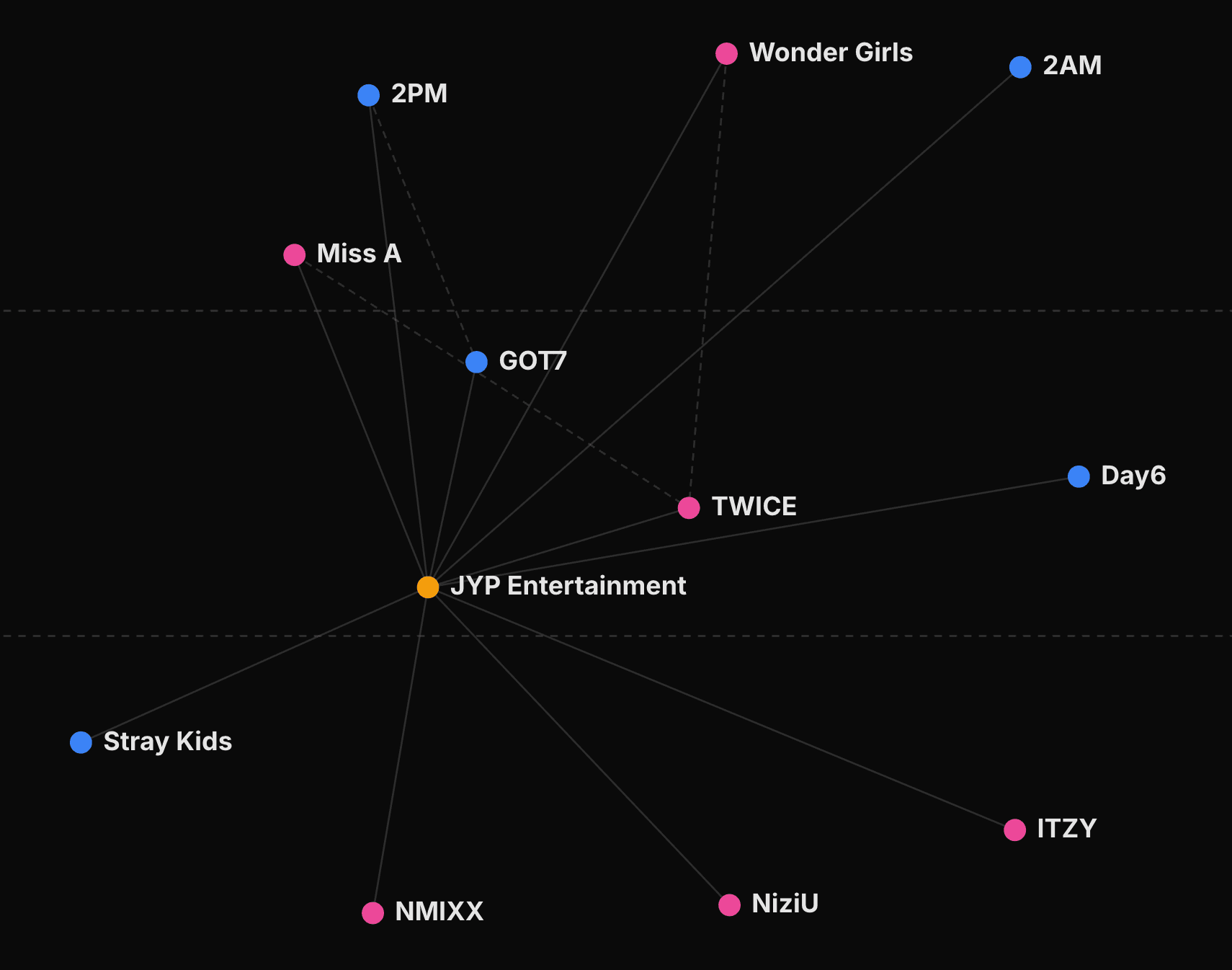
- Group → Agency (solid line): A solid line from a group to a yellow agency node means the group is (or was) signed to that agency. These are the most common edges on the graph, forming the agency clusters you see throughout.
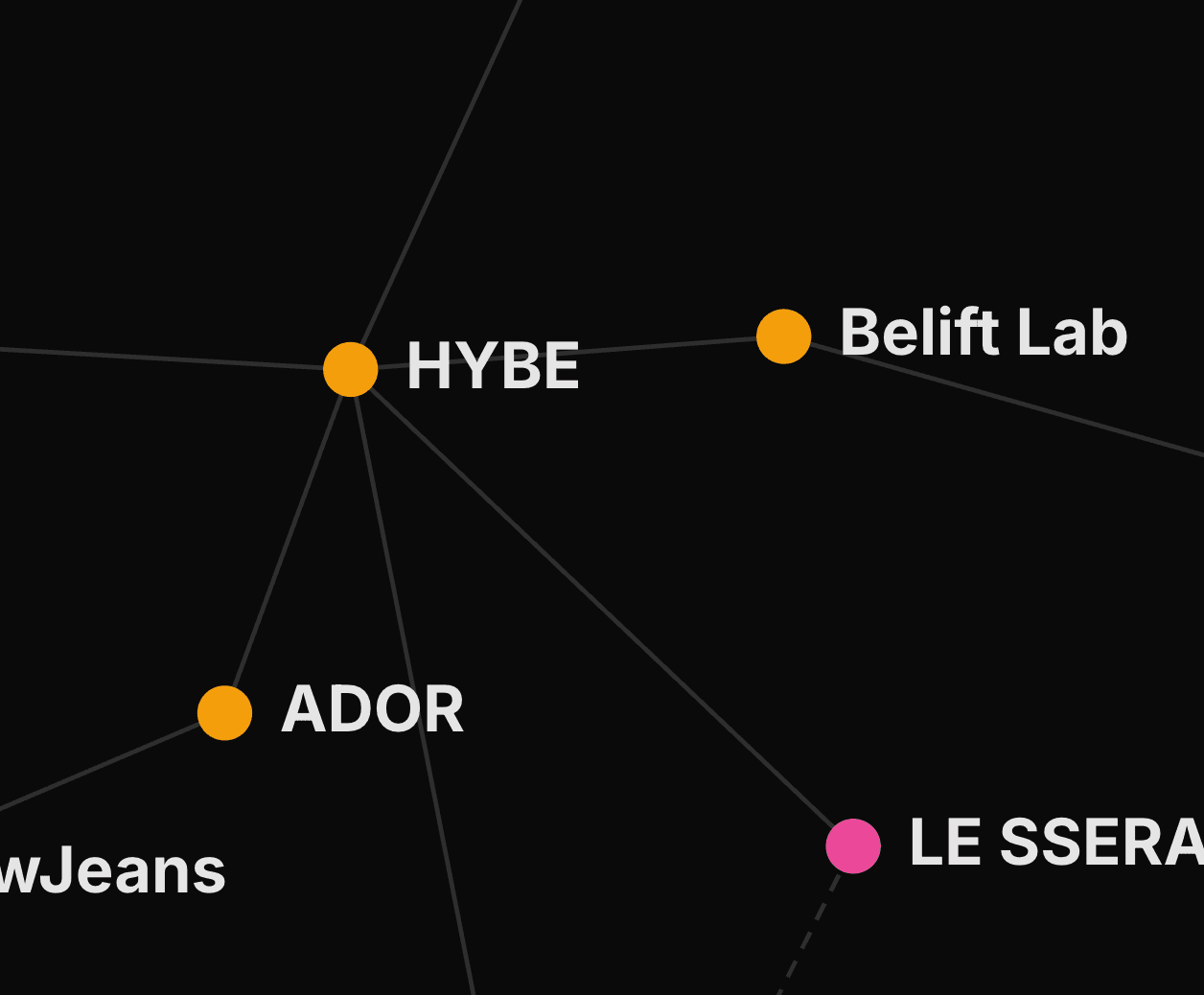
- Agency → Agency (solid line): A solid line between two agency nodes indicates a parent-subsidiary relationship. For example, ADOR connects to HYBE as a subsidiary label.
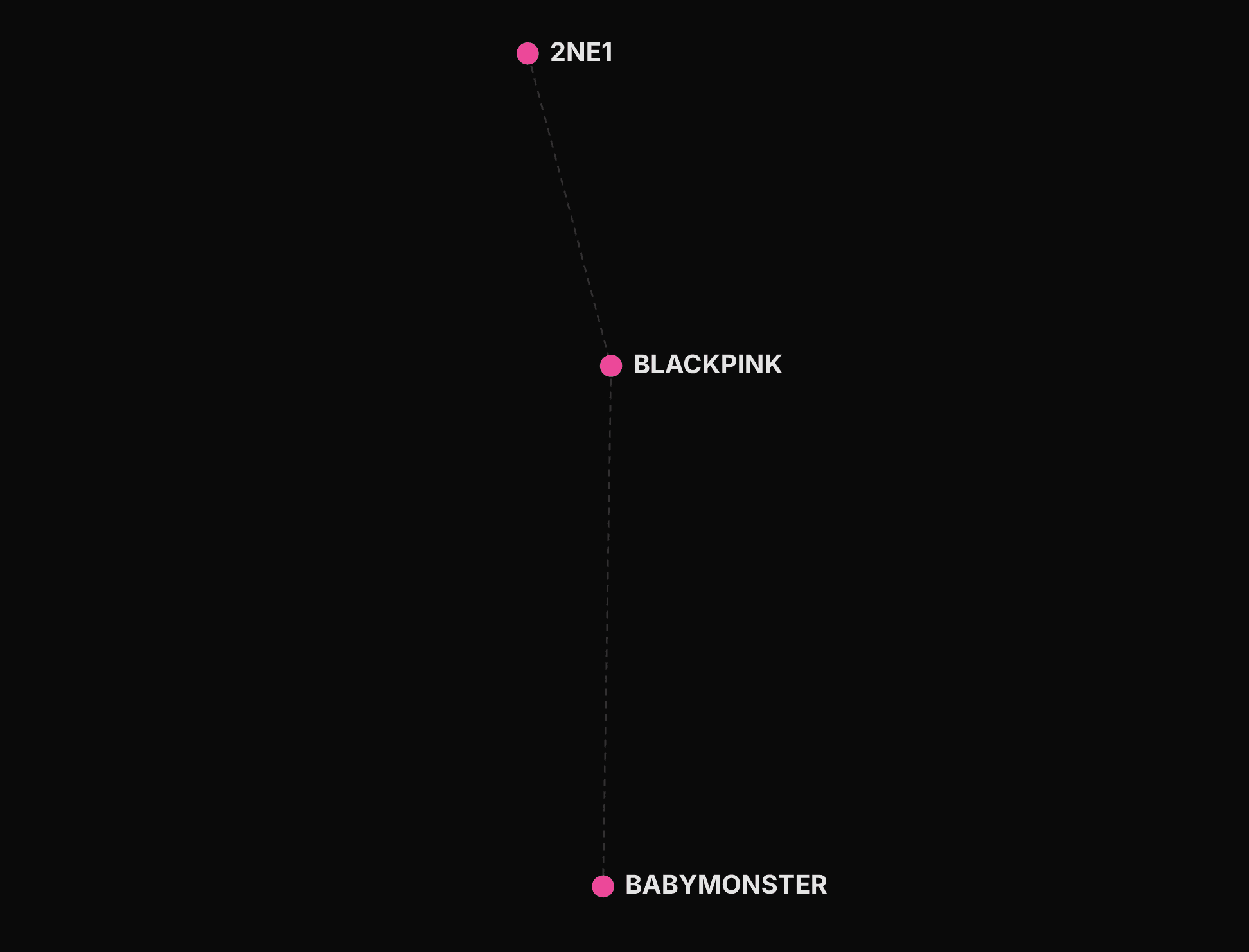
- Group → Group (dotted line): A dotted line connecting two groups indicates a generational successor relationship — where one group is widely recognised as carrying the torch from another. These connections cross generation bands, making lineage visible across eras. Examples include S.E.S → Girls' Generation, 2NE1 → BLACKPINK, and BTS → TXT. Successor relationships are editorial judgements based on agency lineage, stylistic influence, or cultural position — not official designations.
Interacting with the Graph
Click a Node
Clicking any group or agency node opens its detail page, where you can see members, timeline events, featured videos, and more.
Tap on Mobile
On a touch screen, the first tap previews a node and its immediate connections. Tap the same node again to open its profile, or tap empty space to dismiss the preview.
Hover for Details
Hovering over a node highlights it and shows a tooltip with basic information. Connected nodes and edges are also highlighted, making it easy to trace relationships.
Zoom and Pan
Use your scroll wheel (or pinch gesture on mobile) to zoom in and out. Click and drag the background to pan across the graph. This is especially useful when viewing all five generations at once.
Filter Controls
The filter bar at the top of the graph lets you narrow down what's displayed:
- Generation filter: Show only groups from specific generations
- Group type filter: Show girl groups, boy groups, or co-ed groups
- Tags: Start with landmark Essential acts or combine editorial tags
- Agency filter: Focus on one or more company rosters
- Agency toggle: Show or hide agency nodes and their connecting edges
- Search: Jump directly to a group, member, or agency
Filtering is useful when the graph feels crowded. For example, showing only 3rd Gen girl groups gives you a focused view of that specific era and style.
Using the Bottom Controls
The compact control bar below the map lets you zoom, reset the view, widen agency clusters, or open a surprise group. On larger screens, it also includes fullscreen mode. If the graph becomes hard to read after several filters or gestures, Reset returns it to a neutral overview without clearing the filters you selected.
Keep exploring
Three guides connected to what you just read.
What K-Pop Generations Mean — and Why the Boundaries Are Debated
A breakdown of the five recognized K-Pop generations, the artists who defined each era, and why fans still argue about where one generation ends and the next begins.
8 min readGuideBest K-Pop Groups for Beginners: Where to Start
Not sure where to begin with K-Pop? Entry points based on what you already like — pop hooks, hip-hop, theatrical performance, and more.
8 min readGuideWhy Sub-Units Exist in K-Pop
From creative freedom to market segmentation, exploring why K-Pop groups form sub-units and how they benefit both artists and agencies.
6 min read